

Blog
IQOS ILUMA Complete Guide: Features, Devices, TEREA Sticks, Charging, and Troubleshooting

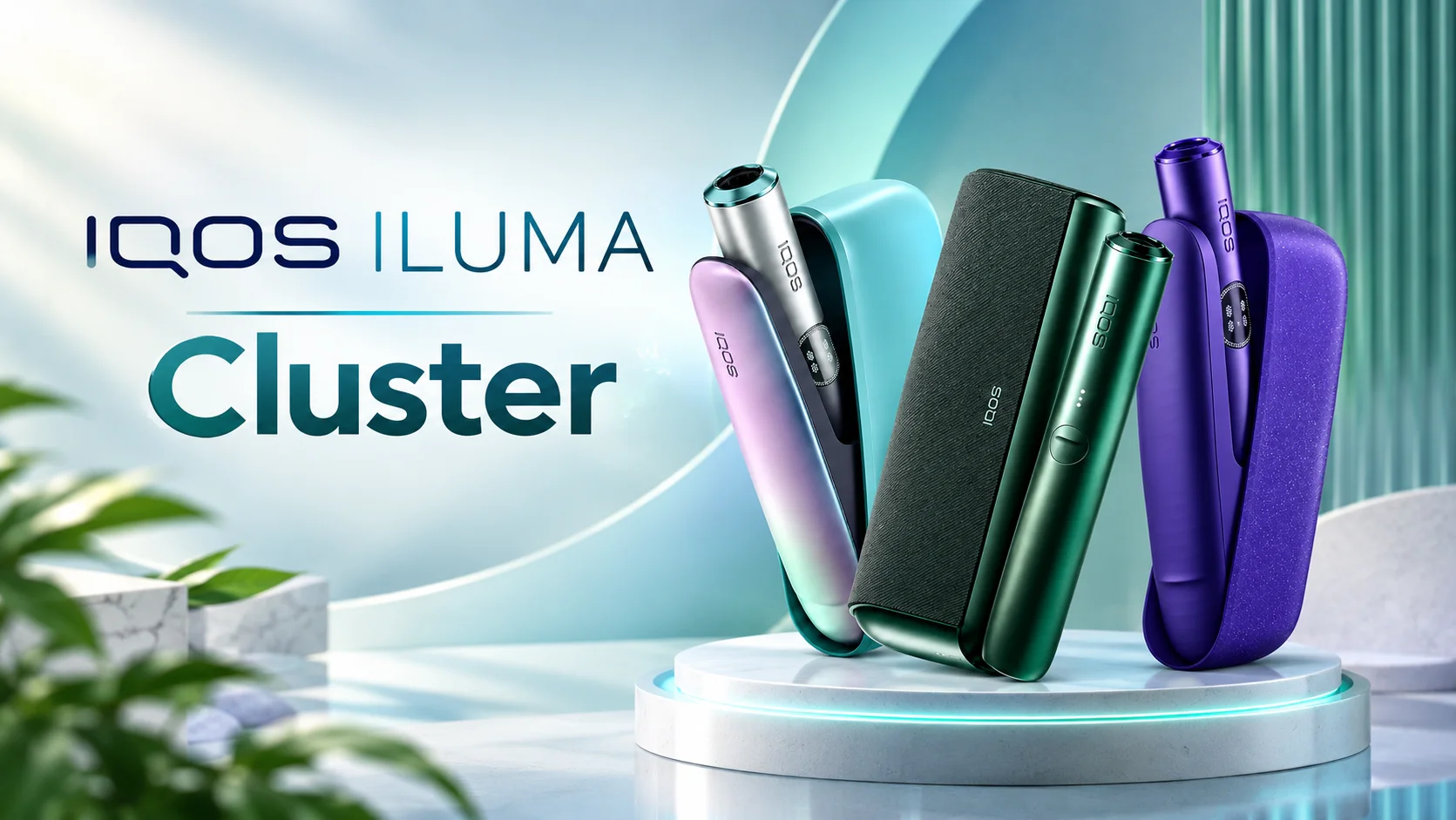
IQOS ILUMA is a range of heated tobacco devices designed to heat specially made tobacco sticks without directly burning the tobacco. Unlike traditional cigarettes, which burn tobacco to produce smoke, IQOS ILUMA uses an electronic heating system to generate a tobacco-containing aerosol. The system is designed to provide an alternative experience for adult tobacco users who are considering different ways to consume tobacco.
One of the main features of the IQOS ILUMA range is its induction-based heating technology. Earlier IQOS generations used a heating blade that required regular cleaning. ILUMA devices use a different approach, eliminating the heating blade and reducing the need for routine cleaning inside the tobacco heating chamber.
The IQOS ILUMA family includes several models, such as ILUMA ONE, ILUMA, ILUMA PRIME, and newer ILUMA i devices. Although these products share the same basic heating technology, they differ in size, design, battery arrangements, and available features.
What Is IQOS ILUMA?
IQOS ILUMA is a heated tobacco system developed for use with compatible tobacco sticks, commonly sold under the TEREA name. The device uses induction heating to warm tobacco contained inside the specially designed stick.
The TEREA stick contains a metal heating element that works with the device’s induction system. When the compatible stick is inserted correctly and the device is activated, the system heats the tobacco without using a conventional heating blade.
It is important to understand that IQOS ILUMA is not a conventional vape. A vape typically heats an e-liquid, while IQOS ILUMA heats processed tobacco contained in a purpose-designed stick.
IQOS ILUMA products are intended for adults who already use tobacco or nicotine products. They are not risk-free, and their aerosol can contain nicotine and other harmful substances.
Main Features of IQOS ILUMA
1. Induction Heating Technology
The induction heating system is one of the defining features of IQOS ILUMA. It heats compatible TEREA tobacco sticks through electromagnetic induction rather than a blade that directly contacts the tobacco.
This design helps simplify the device’s internal structure and reduces the cleaning associated with tobacco residue from earlier blade-based models.
2. Blade-Free Design
Earlier IQOS devices required users to take care around a delicate heating blade. ILUMA removes that blade from the heating chamber, helping reduce the risk of blade damage during ordinary use.
However, the absence of a blade does not mean the device is maintenance-free. Users should still keep the exterior clean, protect the charging port, and follow the manufacturer’s care instructions.
3. Compatible TEREA Tobacco Sticks
IQOS ILUMA devices are designed for TEREA sticks made specifically for the ILUMA heating system. These sticks come in different tobacco blends and flavor profiles, depending on the country and product range.
Users should not assume that every HEETS or other heated tobacco stick is compatible. HEETS sticks made for older blade-based IQOS devices are not designed for IQOS ILUMA.
4. Different Device Designs
The ILUMA family offers several designs to suit different preferences. Some models have a compact, all-in-one construction, while others use a separate holder and charging case.
Depending on the model, users may find features such as status lights, vibration alerts, automatic start, touchscreen controls, or adjustable session settings. Availability varies by model and market.
5. Rechargeable Battery
IQOS ILUMA devices use rechargeable batteries. Battery capacity, charging time, and the number of sessions available between charges vary by model, battery condition, and usage patterns.
Using the supplied or manufacturer-approved charging accessories and following the product manual can help maintain battery performance.
IQOS ILUMA Models Explained
IQOS ILUMA ONE
IQOS ILUMA ONE is a compact, all-in-one device. The holder and battery are integrated into one unit, so users do not need to manage a separate holder and pocket charger.
Its compact construction makes it convenient to carry. It is generally suited to adults who prefer a straightforward design with fewer separate components.
The main considerations are battery charge, device compatibility, and the number of sessions available before recharging.
IQOS ILUMA
The standard IQOS ILUMA design uses a separate tobacco holder and charging case. The holder heats the TEREA stick, while the case recharges the holder between sessions.
This arrangement can be useful for users who prefer a dedicated holder and a separate charging unit. The exact session count, charging indicators, and operating features depend on the specific version.
IQOS ILUMA PRIME
IQOS ILUMA PRIME is a premium-style model in the ILUMA family. It shares the core induction heating system but offers a different exterior design and finish.
Depending on the generation and market, its design materials and case construction may differ from those of the standard model. The main functional principle remains the same: it uses compatible TEREA sticks and induction heating.
IQOS ILUMA i Series
The IQOS ILUMA i family introduces newer device designs and, on selected models, additional controls and interactive features. Depending on the model, these can include a touchscreen, pause functionality, FlexPuff, or FlexBattery features.
Not every feature is available on every ILUMA i device. Before purchasing, check the exact model name and regional specifications rather than assuming all devices have identical controls.
Understanding TEREA Tobacco Sticks
TEREA sticks are specially designed for the IQOS ILUMA heating system. Their construction includes a metal component that allows the device to heat the tobacco through induction.
TEREA products are available in different blends and flavor profiles. Common categories may include tobacco-forward options, menthol-style varieties, and aromatic blends. Exact names, flavors, and availability vary across markets.
Why TEREA Compatibility Matters
Using the correct consumable is essential for proper operation. TEREA sticks are designed around the ILUMA heating mechanism, while older HEETS products are intended for compatible blade-based devices.
Never insert a stick that is not intended for your model. Do not modify, dismantle, or reuse a TEREA stick, and do not attempt to remove its internal components.
TEREA sticks are single-use products. After a session, remove and dispose of the used stick responsibly according to local waste requirements.
How to Use IQOS ILUMA
Follow the instructions supplied with your particular model. The general process is as follows:
- Charge the device: Make sure the device or charging case has sufficient battery power.
- Check compatibility: Use a genuine, compatible TEREA stick intended for IQOS ILUMA.
- Insert the stick: Place it into the holder or heating chamber as instructed. Do not force it into position.
- Activate the device: Start the session using the model’s designated button, automatic-start function, or on-screen control.
- Wait for readiness: Observe the indicator lights, vibration, or screen message showing that the device is ready.
- Use according to the instructions: Follow the manufacturer’s directions for session duration and operation.
- Finish the session: Wait for the device’s end-of-session signal and remove the used stick carefully.
- Return or recharge the device: For models with a separate holder, place the holder in its charging case as directed.
Avoid pressing buttons repeatedly, forcing the stick into the device, or attempting to activate a device that displays a fault or overheating warning.
How to Charge IQOS ILUMA
Charging requirements vary between ILUMA models. Some all-in-one devices charge directly, while models with a separate holder use a charging case that is itself recharged.
For reliable charging, use a compatible cable and an appropriate power source recommended by the manufacturer.
Charging Tips
- Check the battery or charging indicator before starting a session.
- Keep the charging port dry and free from visible debris.
- Avoid charging the device in extremely hot or cold environments.
- Do not use a device with a swollen battery, damaged casing, or signs of liquid ingress.
- Disconnect the device if it becomes unusually hot or shows signs of electrical damage.
- Follow the exact charging-time guidance in the manual for your model.
If the device does not charge, inspect the cable and power source, then try a compatible alternative if the manufacturer permits it. If the problem continues, contact an authorized service provider rather than opening the device yourself.
How to Clean and Maintain IQOS ILUMA
One advantage of IQOS ILUMA is its blade-free heating chamber, which reduces the need for the routine internal cleaning associated with some older IQOS devices.
Nevertheless, regular care remains important.
Recommended Maintenance
Clean the exterior: Wipe the device with a soft, dry cloth. Avoid spraying cleaning products directly onto it.
Keep the charging area dry: Moisture inside the charging port or device can cause damage.
Avoid inserting objects: Do not place cotton buds, sharp tools, or other objects inside the heating chamber unless the official instructions specifically permit the action.
Inspect the device: Check for cracks, loose parts, unusual odors, or visible damage.
Store it properly: Keep the device away from direct sunlight, excessive heat, water, and the reach of children and pets.
Because ILUMA is designed without a conventional heating blade, users should not attempt to clean it using procedures intended for older blade-based IQOS models.
Common IQOS ILUMA Problems and Solutions
Device Will Not Turn On
A depleted battery is one possible explanation. Charge the device using a compatible charger and check the status indicators. If it remains unresponsive, consult the model-specific manual for the correct reset procedure.
TEREA Stick Will Not Insert Properly
Check that the stick is compatible and oriented correctly. Do not push it in forcefully. If the chamber appears obstructed or damaged, stop using the device and seek authorized assistance.
Device Does Not Heat
Check the battery level and confirm that the device has been activated correctly. Look for warning lights, vibration patterns, or screen messages. A reset may help if the manual recommends one for that particular symptom.
Charging Case Does Not Charge the Holder
Make sure the holder is positioned correctly in the charging case. Check the case’s battery level and inspect the charging contacts for visible dirt or damage. Do not scrape the contacts with metal tools.
Flashing Lights or Error Messages
Indicator patterns can mean different things across models. Consult the official manual for the exact model and interpret the warning according to its instructions. If the warning persists after the recommended troubleshooting steps, contact customer support.
Device Becomes Too Hot
Stop using the device and allow it to cool in a safe place. Do not continue charging or operating it if it remains unusually hot, is damaged, or shows signs of battery failure.
IQOS ILUMA vs. Traditional Cigarettes
IQOS ILUMA heats tobacco instead of burning it. This changes the way the tobacco is heated and the emissions produced, but it does not make the product harmless.
Traditional cigarettes burn tobacco and produce smoke containing numerous harmful chemicals. Heated tobacco products generally produce an aerosol with a different chemical composition, but that aerosol can still contain nicotine and toxic substances.
A reduced level of exposure to certain harmful chemicals does not automatically mean a proportional reduction in health risk. IQOS ILUMA is not risk-free, and nicotine is addictive.
For people who do not use tobacco or nicotine, starting IQOS is not recommended. Completely stopping tobacco use is the most beneficial option for health.
Advantages and Disadvantages of IQOS ILUMA
Potential Advantages
- Induction heating without a conventional heating blade.
- Less routine internal cleaning than many older blade-based IQOS devices.
- Multiple device styles and sizes.
- Dedicated TEREA consumables for the ILUMA system.
- Rechargeable operation.
- Different design and feature options across the product range.
Potential Disadvantages
- Requires compatible TEREA sticks.
- Not compatible with every older IQOS consumable.
- Requires regular charging.
- Device features and consumable availability vary by market.
- Produces nicotine-containing aerosol and is not risk-free.
- Replacement devices and consumables can involve ongoing costs.
How to Choose the Right IQOS ILUMA Model
The best model depends on your preferences and the features available in your country.
Choose IQOS ILUMA ONE if you prefer a compact, all-in-one design. Consider the standard IQOS ILUMA if you prefer a separate holder and charging case. The ILUMA PRIME may appeal to users who prioritize a premium exterior, while selected ILUMA i models offer newer controls and additional functions.
Before buying, confirm the precise model generation, battery specifications, included accessories, warranty terms, and compatibility with locally available TEREA sticks. Buy only from legitimate sellers and be cautious of unusually low prices or products with missing authenticity information.
Frequently Asked Questions
Is IQOS ILUMA a vape?
No. IQOS ILUMA is a heated tobacco system. It heats tobacco in a compatible TEREA stick, whereas a conventional vape heats an e-liquid.
Can I use HEETS in IQOS ILUMA?
No. HEETS sticks made for older blade-based IQOS devices are not designed for ILUMA. Use only compatible TEREA sticks.
Does IQOS ILUMA need cleaning?
It generally requires less internal cleaning than older blade-based IQOS devices. However, users should still maintain the exterior, protect the charging port, and follow the instructions for their model.
How long does the battery last?
Battery life varies by model, age, temperature, and usage. Consult the manufacturer’s specifications for the exact device rather than relying on a single battery-life figure for the entire range.
Why is my IQOS ILUMA flashing?
Flashing indicators may signal a low battery, a charging condition, a device error, or another status. The meaning depends on the model and light pattern. Check the relevant manual before attempting a reset.
Can I recharge a TEREA stick?
No. TEREA sticks are single-use tobacco consumables and must not be recharged, refilled, or reused.
Is IQOS ILUMA safe?
IQOS ILUMA is not risk-free. It exposes users to nicotine and other potentially harmful substances. People who do not use tobacco should not start using it, and stopping tobacco use altogether offers the greatest health benefit.
Conclusion
IQOS ILUMA is a heated tobacco device family built around induction heating and compatible TEREA sticks. Its blade-free design reduces the need for routine internal cleaning and comes in several configurations, from the compact ILUMA ONE to premium and newer ILUMA i models.
Understanding compatibility, charging, maintenance, and troubleshooting can help adult users operate their device according to the manufacturer’s instructions. Before choosing a model, compare its features and specifications carefully, and remember that heated tobacco products still carry health risks and can cause nicotine addiction.